NetSpeedMonitor shows 0 kbit/s? Fixing the adapter, the toolbar and the readout
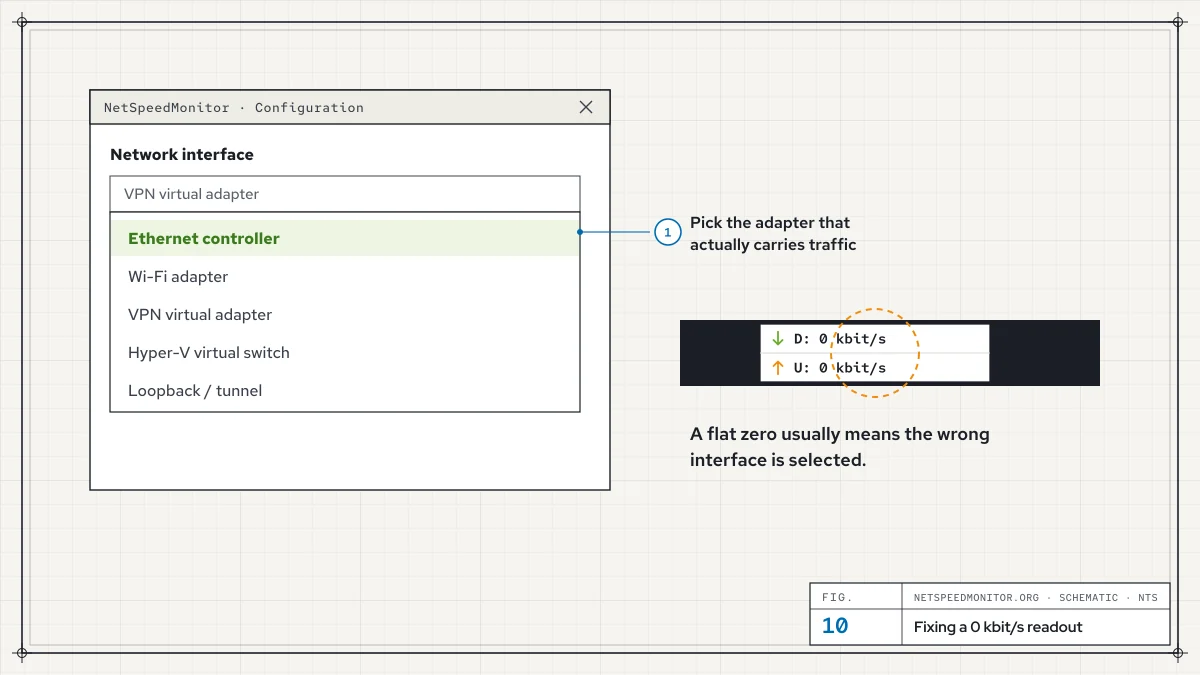
A readout frozen at zero is the most common NetSpeedMonitor complaint, and it almost never means the program is broken. It means it is watching the wrong thing.
Quick diagnosis
| What you see | Most likely cause | Go to |
|---|---|---|
| Toolbar visible, both rows at 0 | Wrong or idle adapter selected | §2 and §3 |
| Worked before, zero since new hardware | The adapter changed | §4 |
| No toolbar at all | Toolbar off, Explorer, or Windows 11 | §5 |
| Numbers seem 8× off | Bits versus bytes | §6 |
Select the adapter that carries traffic
Right-click the readout and open Configuration. The network interface list shows every adapter Windows knows about, including several that never carry internet traffic. To find the right one:
- Open Task Manager → Performance and start a large download. The Ethernet or Wi-Fi graph that moves is the adapter you want; note its name.
- Or run this in PowerShell to list adapters that are connected:
Get-NetAdapter | Where-Object Status -eq 'Up' | Format-Table Name, InterfaceDescriptionMatch the InterfaceDescription (for example a Realtek or Intel controller name) to the entry in NetSpeedMonitor's list, select it and save. The readout should come alive within a second or two.
VPNs, virtual switches and tethering
- VPN clients add a virtual adapter. Your traffic then passes through both the VPN adapter and the physical one. For a full picture of what goes over the wire, monitor the physical adapter.
- Hyper-V external switches move the host's traffic onto a vEthernet adapter. The physical adapter can then look idle, so select the vEthernet entry instead.
- VirtualBox and VMware host-only adapters only carry traffic to virtual machines and normally sit at zero.
- Phone tethering and USB dongles can appear as a new adapter each time they connect, which leaves NetSpeedMonitor watching the old one.
When the adapter changes
Fitting a new Wi-Fi card, using a docking station or switching from cable to wireless all change which adapter carries the traffic. NetSpeedMonitor keeps watching the one you chose originally, so it drops to zero. Select the new adapter in Configuration.
Traffic totals belong to the adapter they were recorded on, so the new adapter starts its own count. That is normal, not lost data.
When the toolbar itself is missing
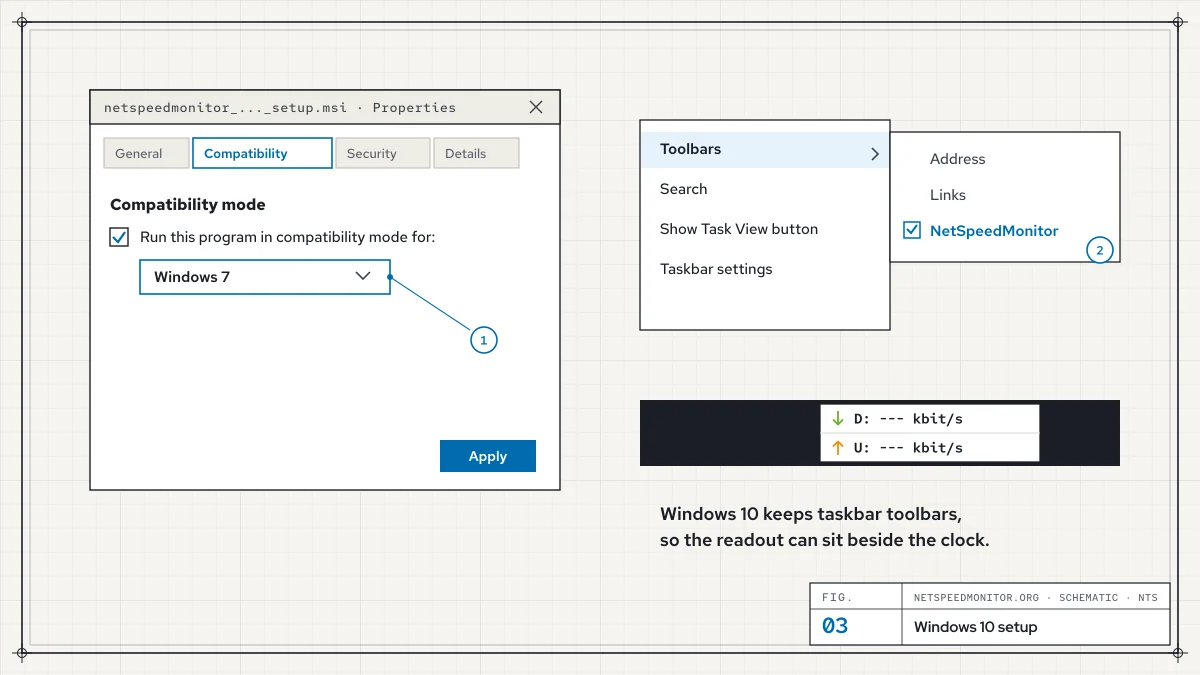
- Right-click the taskbar → Toolbars and make sure NetSpeedMonitor is ticked. If it is, untick it and tick it again.
- Restart Windows Explorer from Task Manager.
- Check that you installed the edition that matches Windows; a 32-bit package on 64-bit Windows never appears. See the editions guide.
- No Toolbars entry at all means the Windows 11 taskbar, which cannot host the toolbar. Read the Windows 11 guide.
When the numbers look wrong rather than zero
- Too high or too low by a factor of eight: the default unit is kbit/s; switch to kB/s or MB/s in Configuration to match your browser.
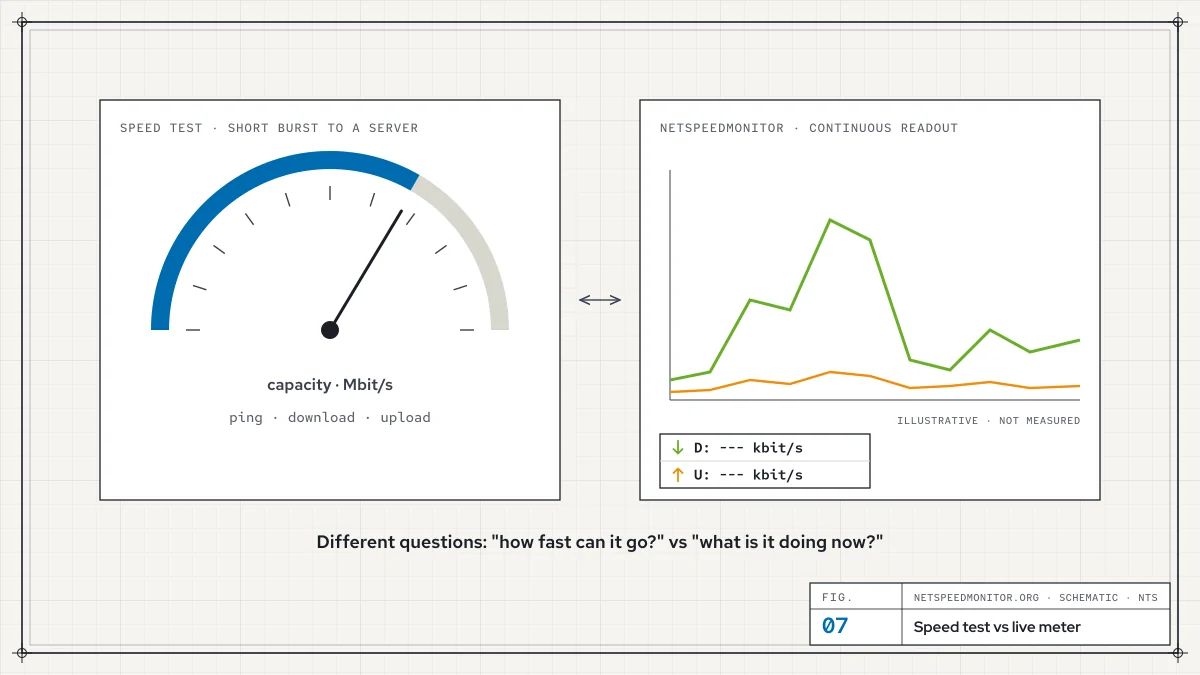
- Lower than a speed test: expected during normal use. The speed-test comparison explains why.
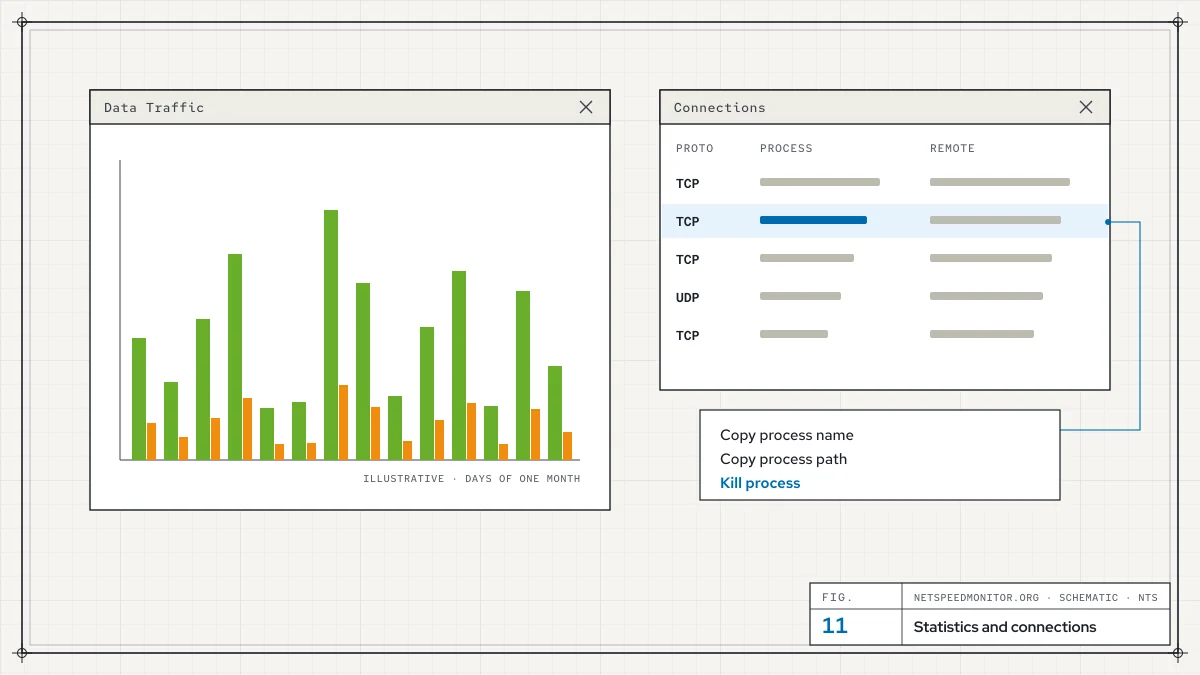
- Short spikes with nothing running: Windows Update, cloud sync and telemetry run in the background. Open the Connections table to see which process is active.
Clean reinstall as a last resort
- Export your Data Traffic report if you want to keep the statistics.
- Untick the toolbar, then uninstall NetSpeedMonitor from Settings → Apps or Programs and Features.
- Restart Windows.
- On Windows 8 or 10, set the MSI to Windows 7 compatibility mode again.
- Install, enable the toolbar, select the correct adapter, and import the report.
Ready to install NetSpeedMonitor 2.5.4.0? The download section explains which file to pick.
Download Now