Journal · Technical notes
NetSpeedMonitor guides and technical notes
Nine guides, each answering one question: how to set NetSpeedMonitor up on your version of Windows, which installer to use, how to fix it, and what to use where it cannot run.
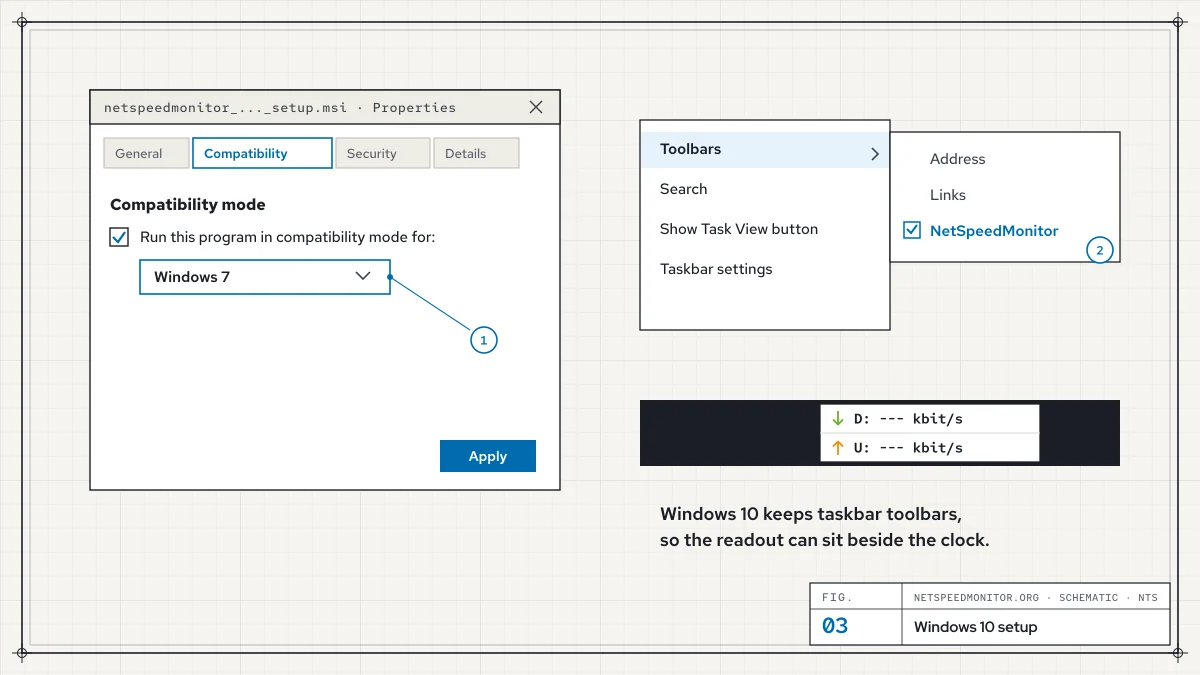
How to install NetSpeedMonitor on Windows 10, step by step
NetSpeedMonitor predates Windows 10 by five years, yet it still runs there once the installer is persuaded to start. This is the full procedure, including the part that trips most people up.
Setup by Windows version
Section 01 · 2 guides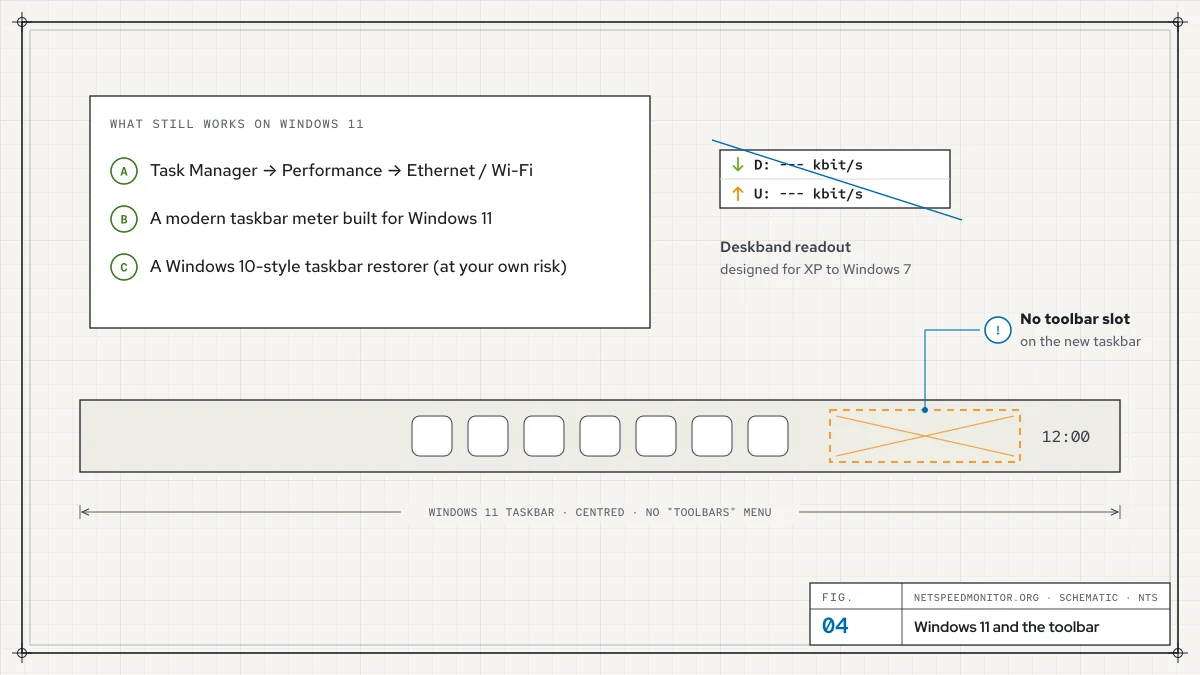
NetSpeedMonitor and Windows 11: why the toolbar disappears and what to use instead
Windows 11 removed taskbar toolbars, so NetSpeedMonitor has nowhere to show its readout. What still works: Task Manager, meters built for Windows 11 and taskbar restorers.
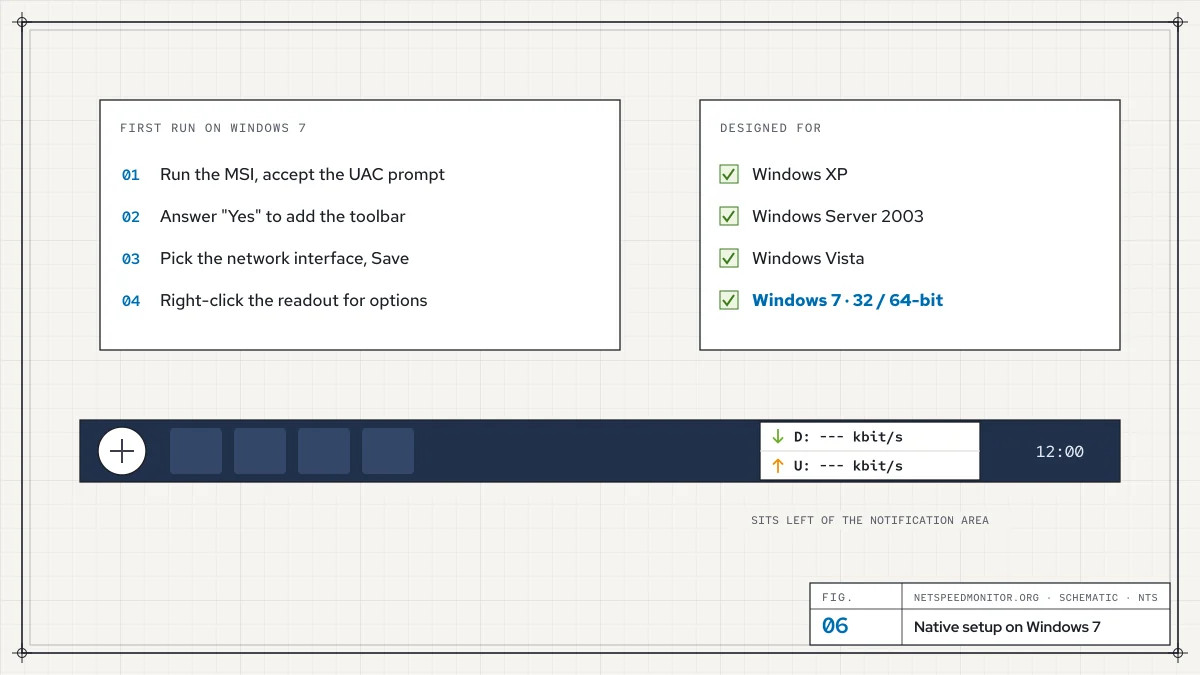
Running NetSpeedMonitor on Windows 7: setup, layout and settings
Windows 7 is what NetSpeedMonitor was built for. Install it without workarounds, place the toolbar, choose units and adapter, and keep an ageing PC sensible.
Downloads and safety
Section 02 · 1 guide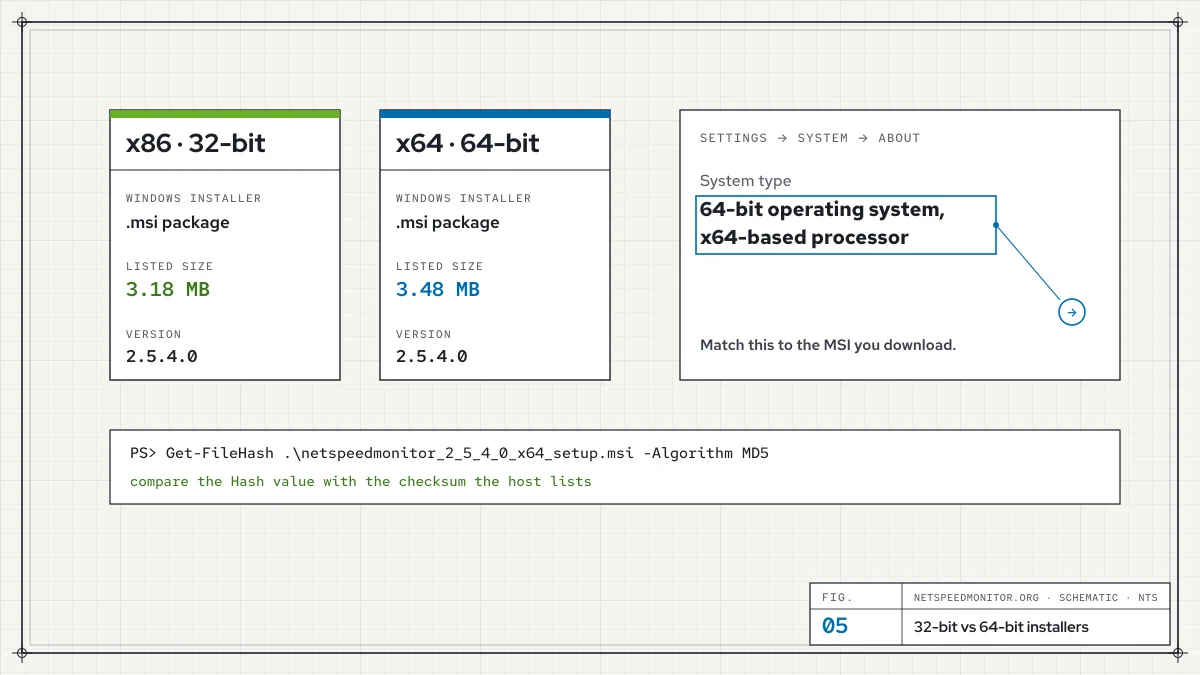
Net Speed Monitor 64-bit vs 32-bit: choosing and checking the right installer
Which NetSpeedMonitor MSI fits your PC? How to tell 64-bit from 32-bit Windows, why the edition must match Explorer, and how to check the download with an MD5 hash.
Fixes and everyday use
Section 03 · 2 guides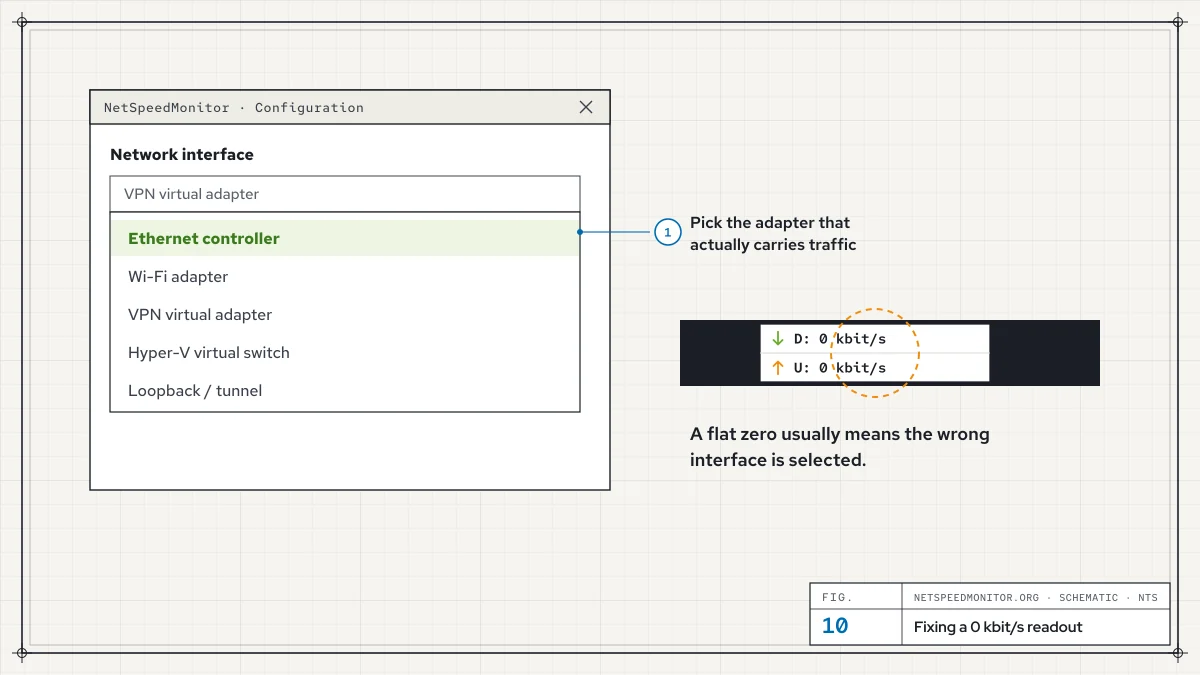
NetSpeedMonitor shows 0 kbit/s? Fixing the adapter, the toolbar and the readout
NetSpeedMonitor stuck at 0 kbit/s, wrong numbers or no toolbar? Work through adapter selection, VPN and virtual adapters, Explorer restarts and a clean reinstall.
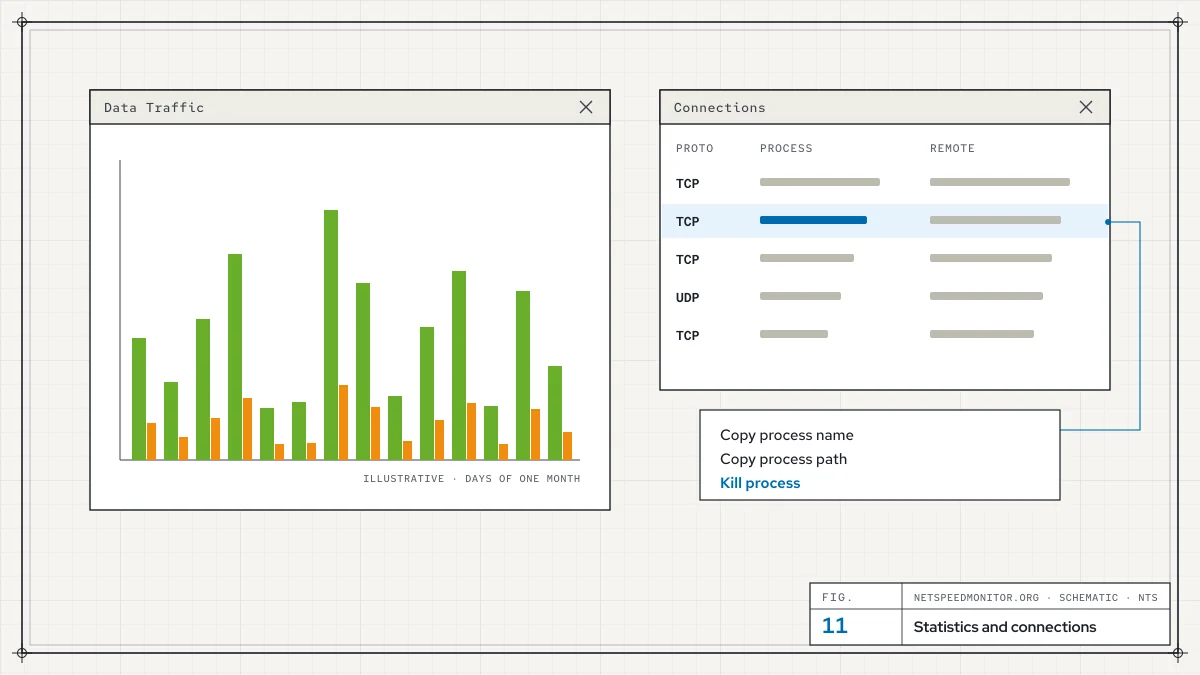
Reading NetSpeedMonitor's traffic statistics and Connections table
Use NetSpeedMonitor beyond the toolbar: hover totals, daily and monthly Data Traffic reports, export and import, and the Connections table for spotting busy programs.
Comparisons and alternatives
Section 04 · 3 guides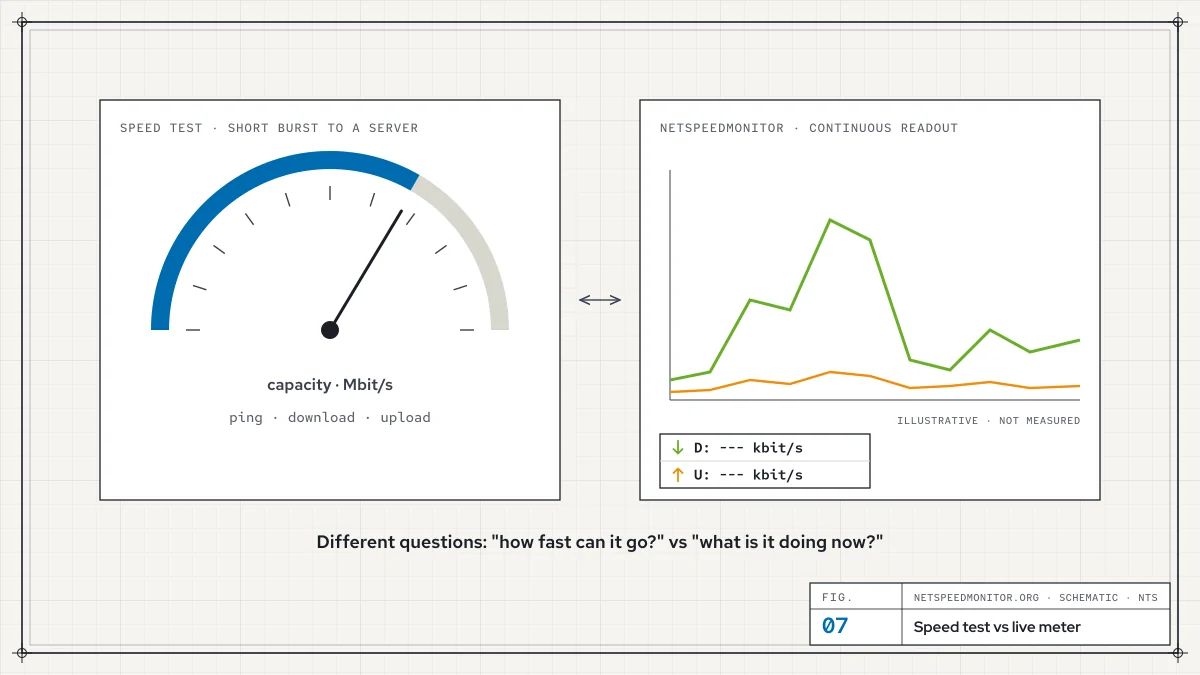
NetSpeedMonitor vs Ookla Speedtest: live throughput or a speed test?
People search "NetSpeedMonitor Ookla" expecting one tool. They measure different things. What each reports, why the numbers differ and how to use them together.
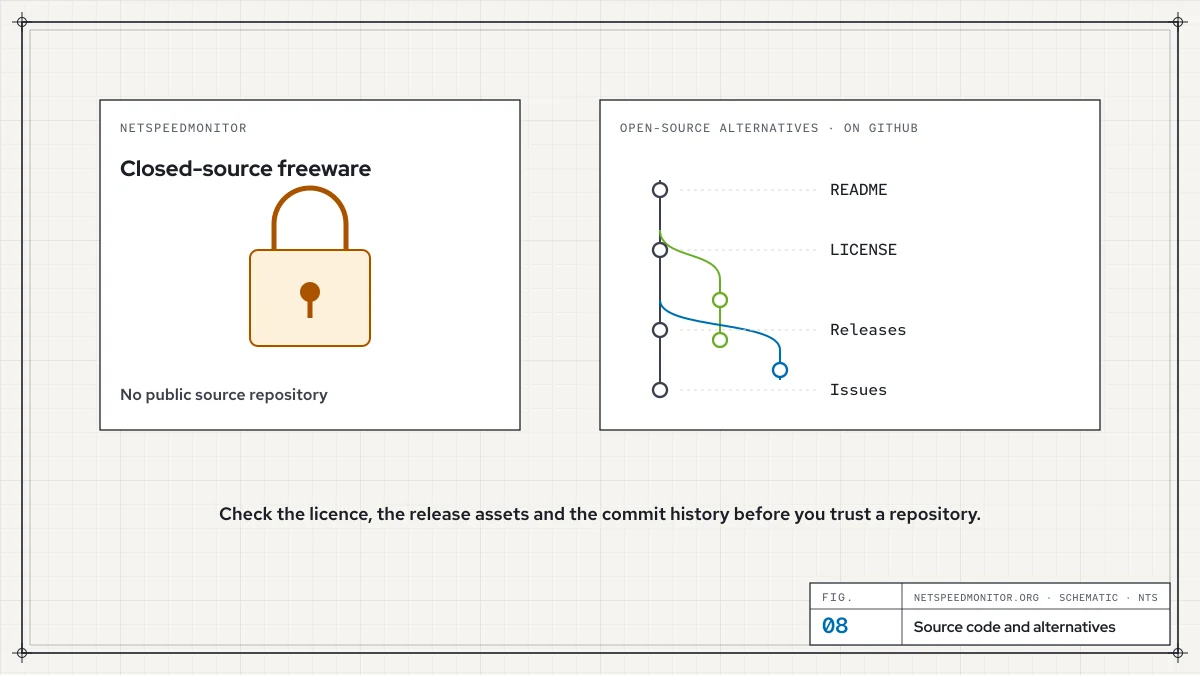
Is NetSpeedMonitor on GitHub? Source code status and open-source alternatives
NetSpeedMonitor was never open source. What a GitHub search turns up, which open-source taskbar meters are similar, and how to vet a repository before installing.
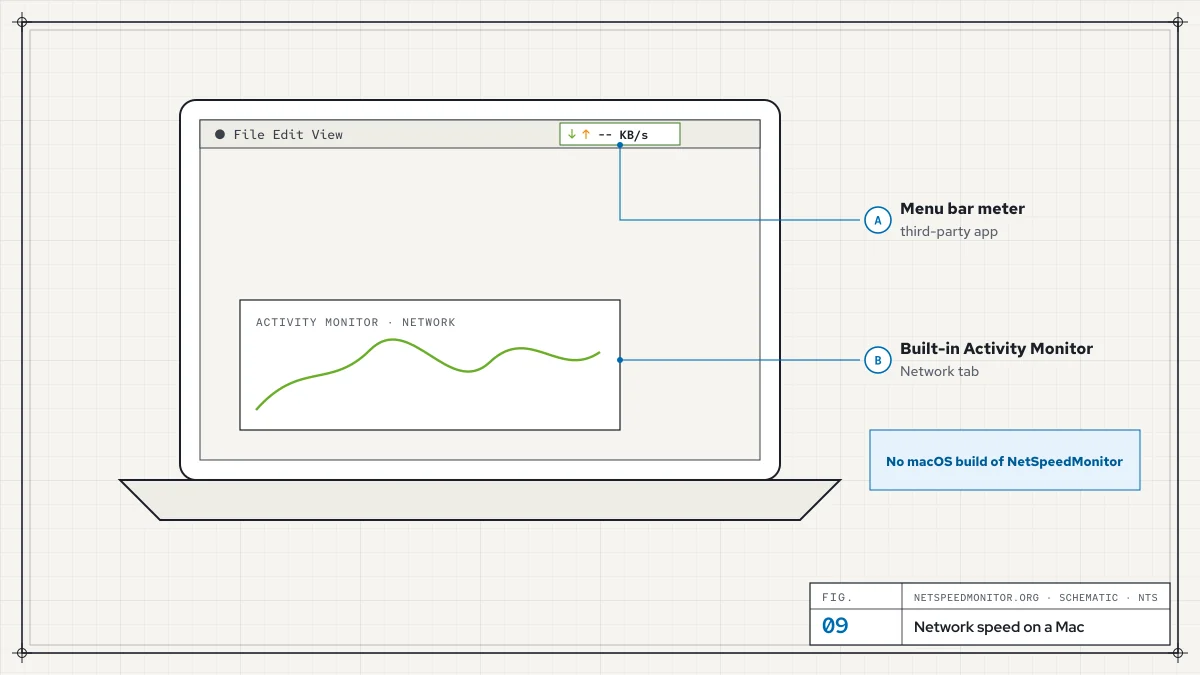
Is there a NetSpeedMonitor for Mac? What macOS offers instead
NetSpeedMonitor is Windows-only. On a Mac, use Activity Monitor, its Dock icon, Terminal tools or a menu bar meter to see live upload and download speed.